Launch Sale: 50% Off All DIY Tools — Limited Time

Retail / E-Commerce QBO Setup Kit

A chart of accounts built for businesses that buy, sell, and ship things.

QBO Setup Kit for Retail Stores and Product-Based Businesses - Setup Guide PDF cover

$47 $23.50 50% Off

Product businesses have the most complicated cost structure of any small business type, and the default QuickBooks chart of accounts completely ignores that. You need to track cost of goods sold with real detail: what you paid for inventory, what it cost to ship it in, what you spent on packaging, and what the platforms took in fees. If all of that lands in one line on your P&L, you have no way to know whether your margins are healthy or whether Amazon fees are eating your profit.

This kit was built from bookkeeping work across brick-and-mortar retail stores, Shopify sellers, Amazon FBA businesses, and multi-channel product brands. The account structure separates your cost of goods sold into meaningful categories, breaks out platform fees and merchant processing from your operating expenses, tracks shipping costs on both the inbound and outbound side, and gives you expense categories for the marketing channels that product businesses actually use (paid social, marketplace advertising, influencer costs).

Your P&L report will show you your true gross margin after product costs, shipping, and platform fees. That number is the one that tells you whether your pricing and channel strategy are working.

What's Included

Everything you need to set up QuickBooks Online correctly for your retail or e-commerce business.
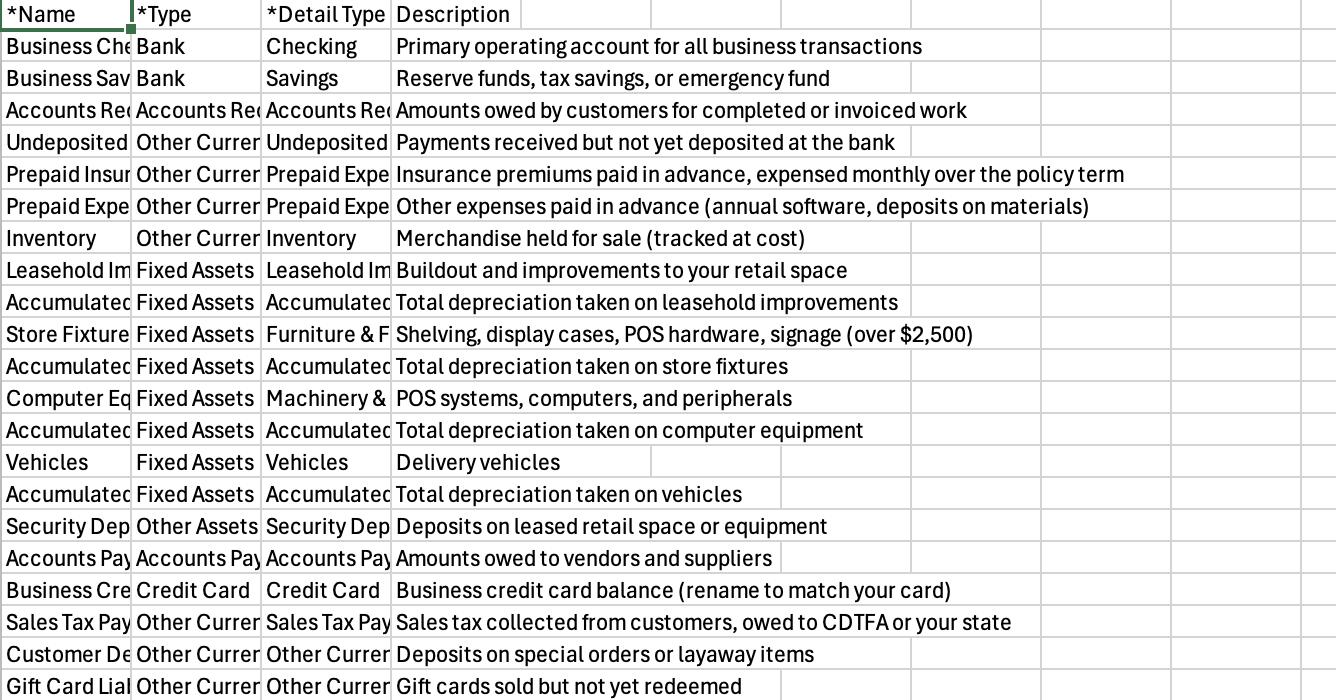
3 QBO-Importable CSV Files

One for each entity type: Sole Proprietor, S-Corp, and Partnership. Import directly into QuickBooks Online with 109-112 industry-specific accounts.
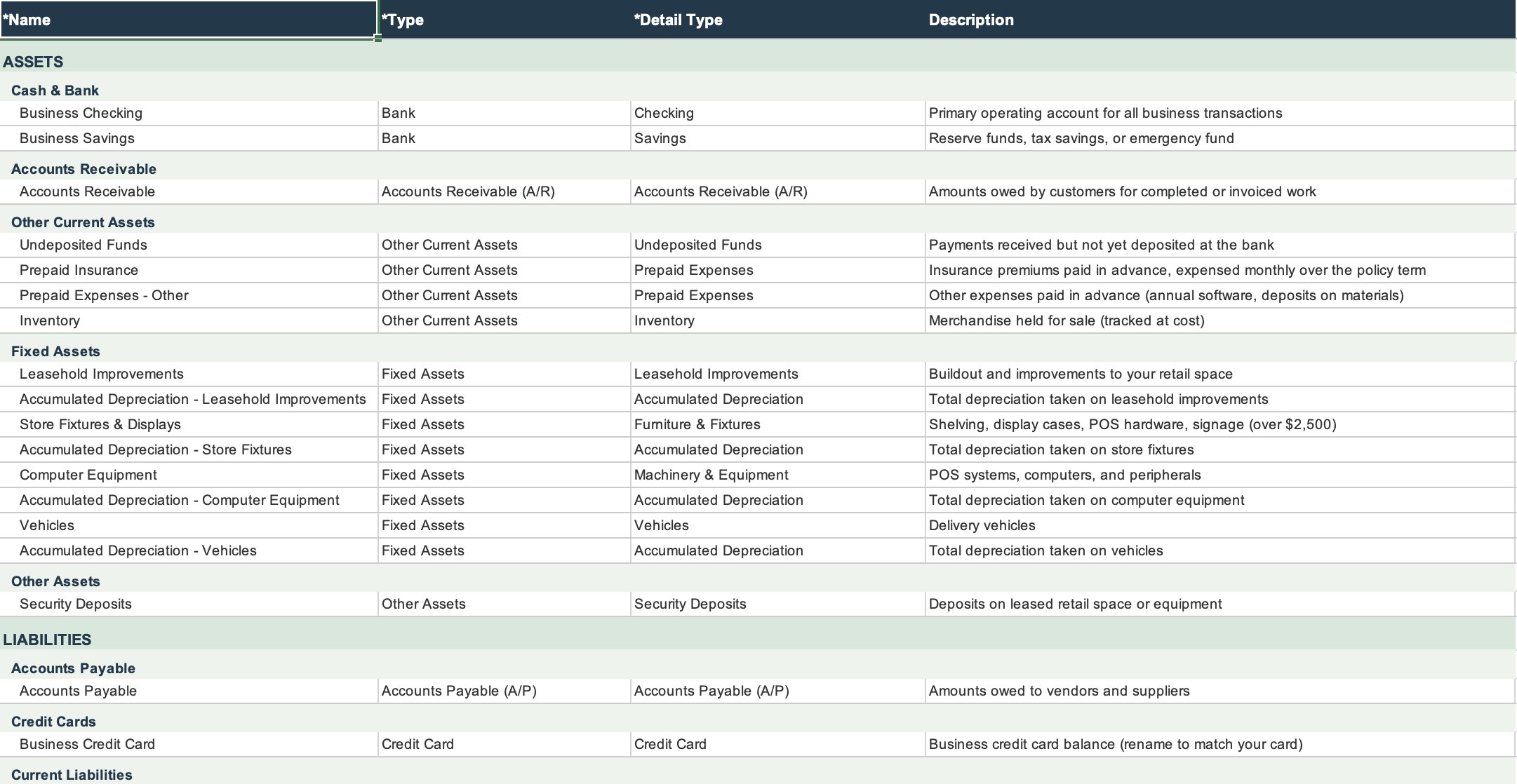
Retail Excel Reference Workbook preview

Excel Reference Workbook

Every account listed with its type, detail type, and description. Especially useful for product businesses that need to train employees or virtual assistants on how to code purchase orders, platform deposits, and returns correctly.
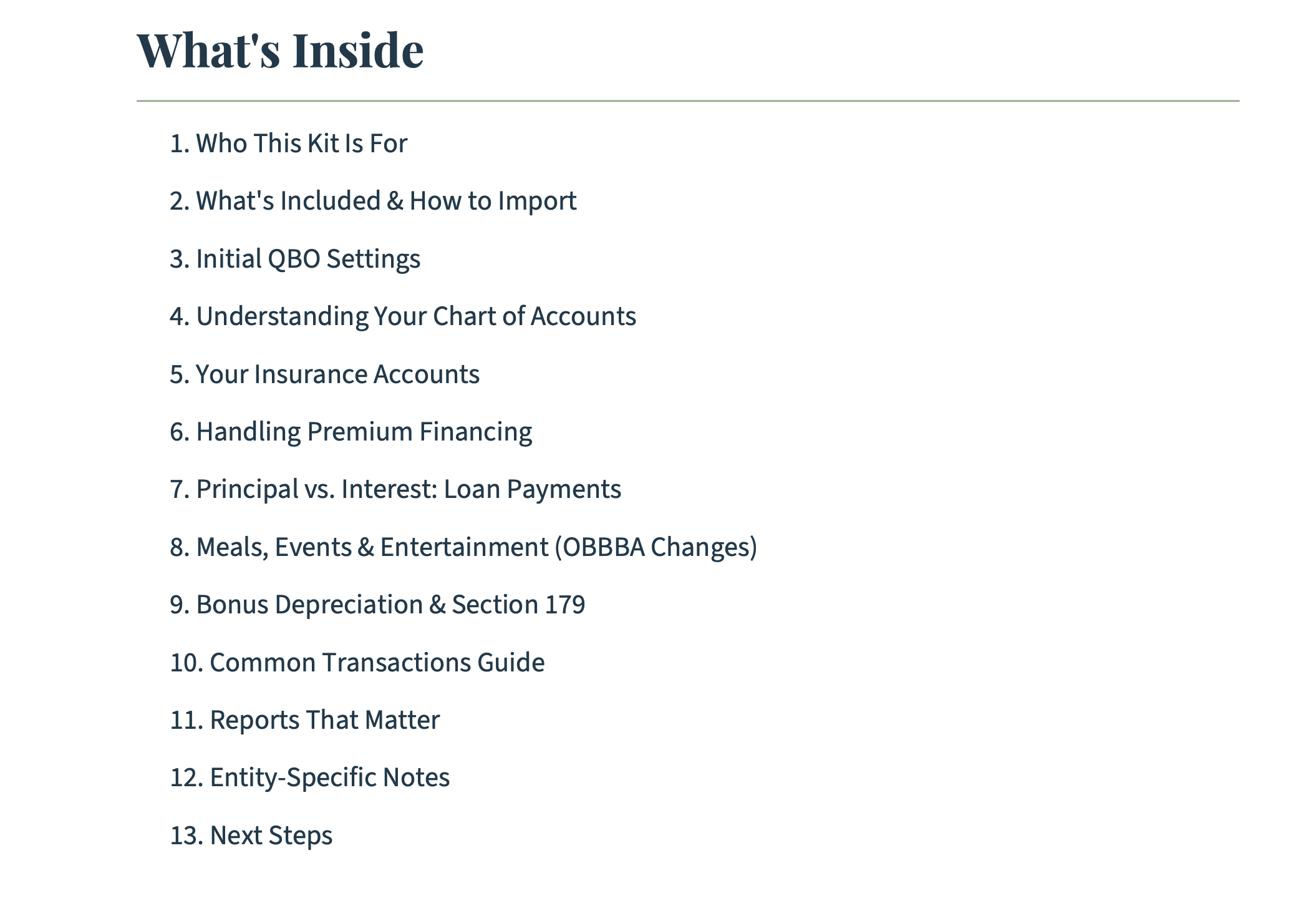
Setup Guide PDF (16-25 pages)

Step-by-step instructions for importing the CSV, customizing accounts for your sales channels, and handling existing QBO data. Includes guidance on tracking COGS properly, handling sales tax (including marketplace facilitator rules), recording inventory purchases, managing platform payouts vs. gross sales, and separating shipping costs by direction (inbound freight vs. outbound fulfillment).
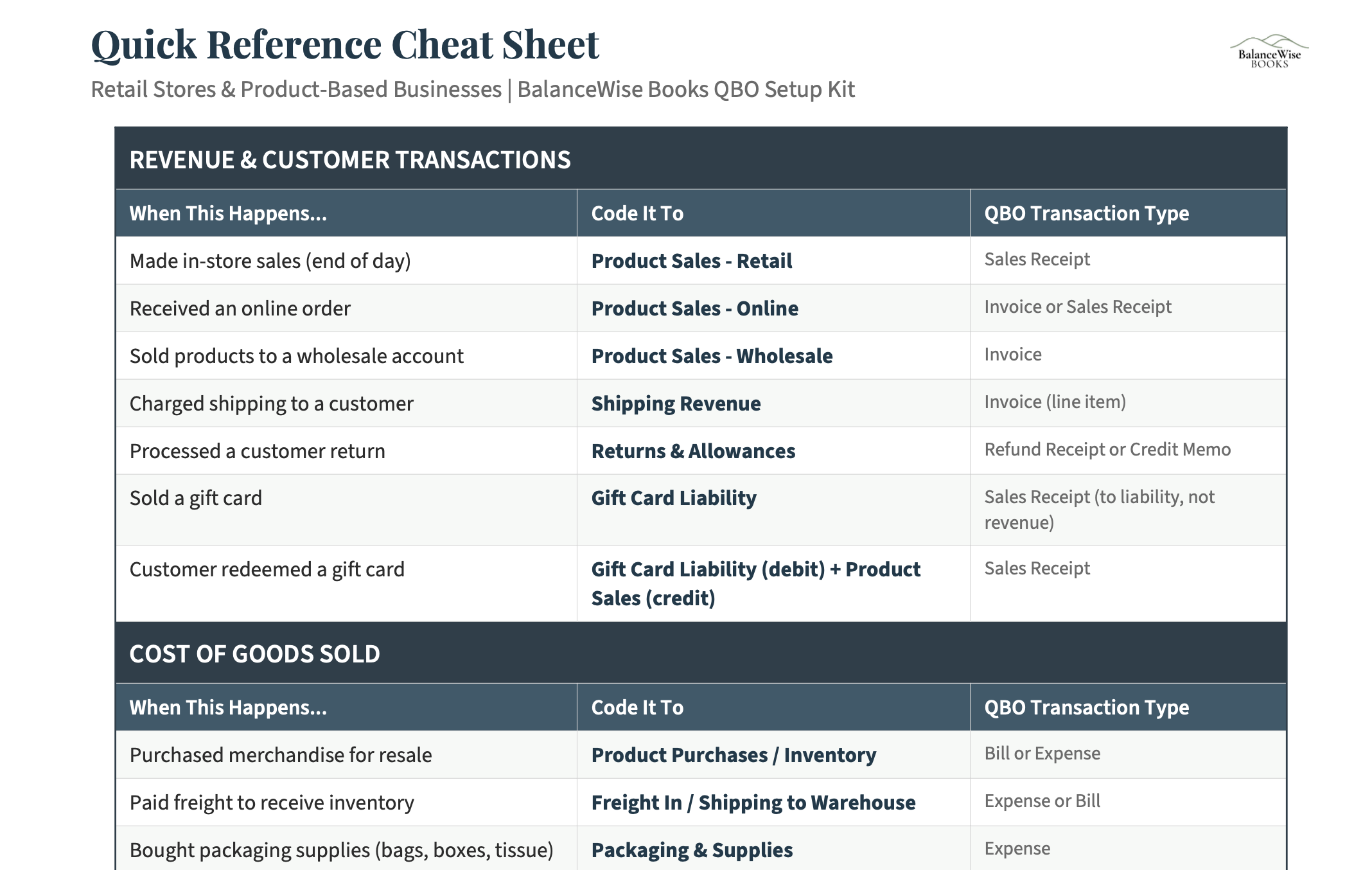
Quick Reference Cheat Sheet PDF (2-3 pages)

A printable reference covering common retail and e-commerce transactions: inventory purchases, platform payouts (Shopify, Amazon, Etsy), merchant processing fees, shipping labels, packaging supplies, returns and refunds, sales tax remittance, and advertising spend. Each mapped to the correct account.

Who This Is For

This kit is built for product-based businesses that use or are setting up QuickBooks Online.

What Makes This Different

It is not a generic template.

This kit has 109-112 accounts because product businesses need that level of detail. Your cost of goods sold is broken into product cost, inbound freight, packaging, and direct labor (if you make or assemble products). Platform fees are separated from merchant processing fees. Marketing is broken out by channel. Returns and allowances have their own line. That granularity is what turns your P&L from a summary into a tool.

It is current with the 2025 tax law.

The permanent 20% QBI deduction under the OBBBA applies to most product businesses operating as pass-through entities. If you are investing in fixtures, equipment, or technology for your retail operation, the restored 100% bonus depreciation and expanded Section 179 limits mean you can deduct those costs in full the year you buy them. This chart of accounts captures fixed asset purchases and depreciation correctly so those deductions are not missed.

It handles multi-channel complexity.

If you sell on Shopify, Amazon, and a physical storefront, your bookkeeping needs to distinguish between those channels. This chart of accounts is structured so you can use QBO's class or location tracking to separate revenue and expenses by channel without needing a different set of accounts for each one. The Setup Guide explains how to set this up.

Get Your Books Set Up Right

Stop wrestling with the default chart of accounts. Get a structure built for retail and e-commerce businesses.

Explore Kits for Other Industries