A chart of accounts that actually makes sense for how contractors run their businesses.
$47 $23.50 50% Off
You did not get into contracting to spend your evenings figuring out QuickBooks. But if your chart of accounts is wrong, everything downstream is wrong: your P&L is useless, your tax return misses deductions, and you cannot tell which jobs are making money and which are bleeding you dry.
This kit gives you a contractor-specific chart of accounts built from real bookkeeping work across general contractors, electricians, plumbers, HVAC companies, and painters. It is not a generic template with "Construction" slapped on the label. Every account category exists because it serves a purpose: tracking job costs, separating materials from labor, capturing equipment depreciation, and producing a Profit & Loss report that helps you make pricing decisions, not just satisfy your CPA.
The P&L structure in this kit is designed to show you your gross profit by separating direct job costs (materials, subcontractors, labor, equipment) from your overhead. When you look at your monthly report, you will be able to see whether you are marking up enough to cover your actual overhead and still make a profit. That is the difference between a chart of accounts built by someone who does this work and one pulled off a free download site.
One for each entity type: Sole Proprietor, S-Corp, and Partnership. Open QuickBooks Online, go to Settings, import your chart of accounts, and you are up and running with 103-106 industry-specific accounts. The Setup Guide walks you through the import step by step.
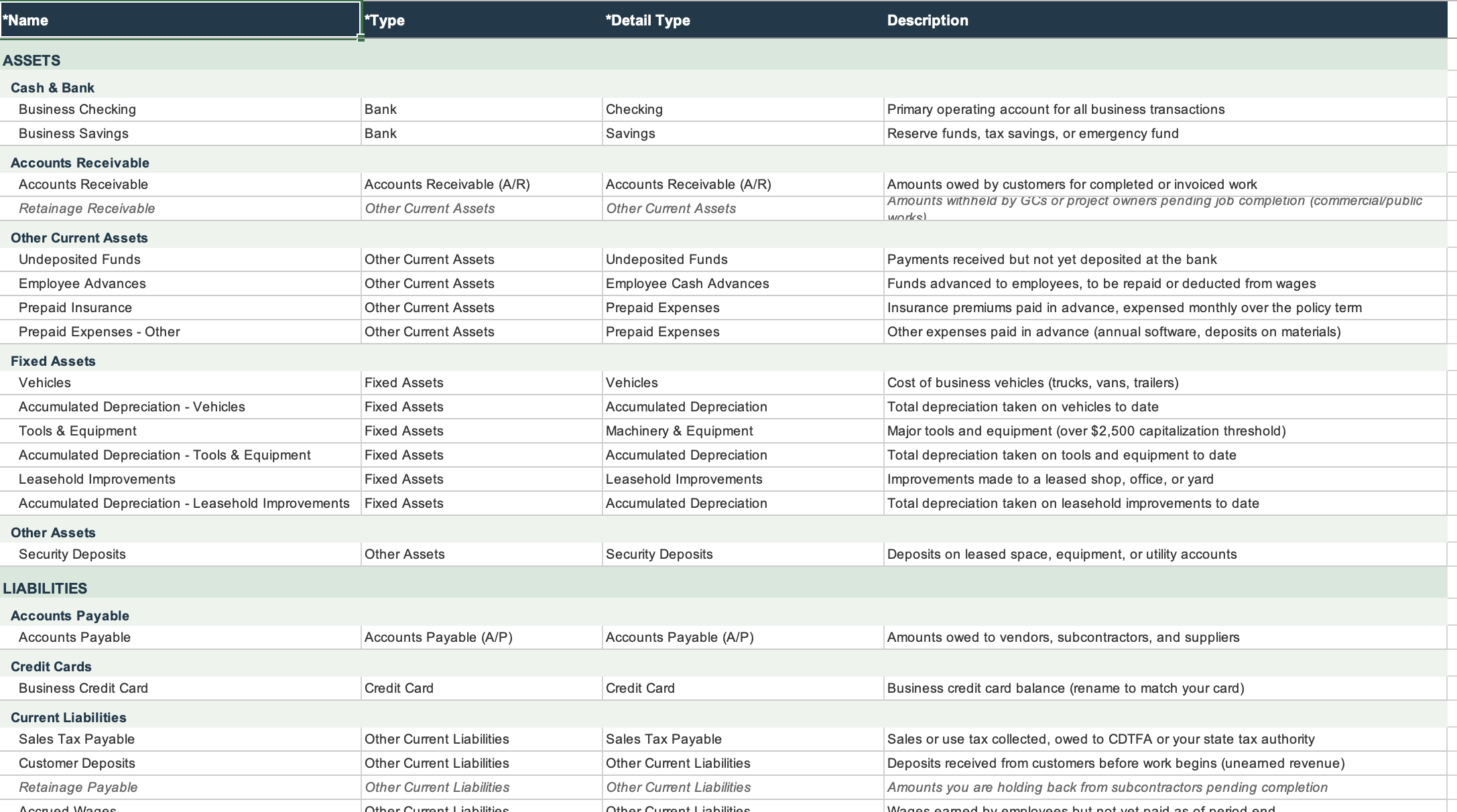
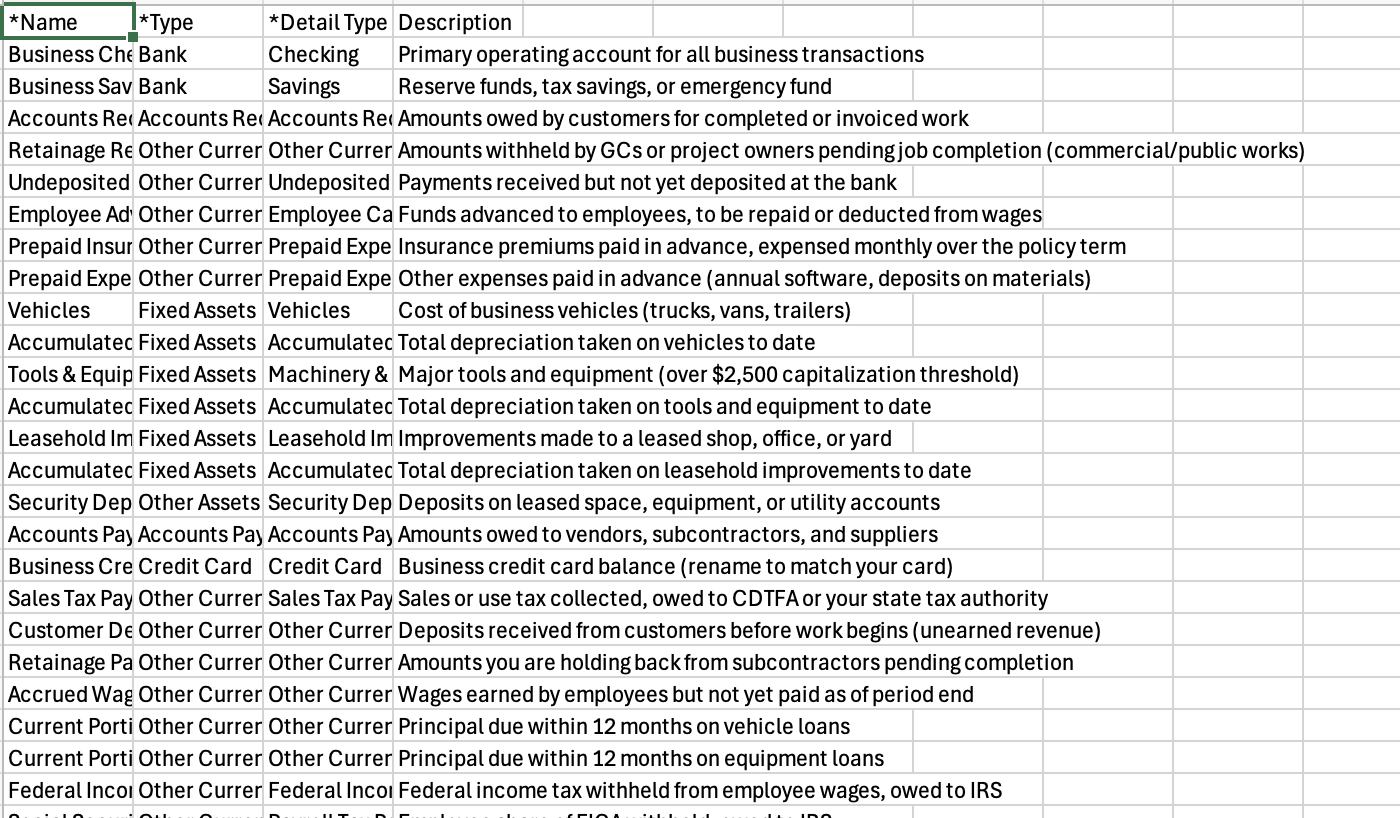
A complete spreadsheet listing every account in the chart of accounts with its account type, detail type, and a plain-language description of what it is for and when to use it. Use this as your ongoing reference while you are coding transactions. Print it, bookmark it, share it with your bookkeeper.
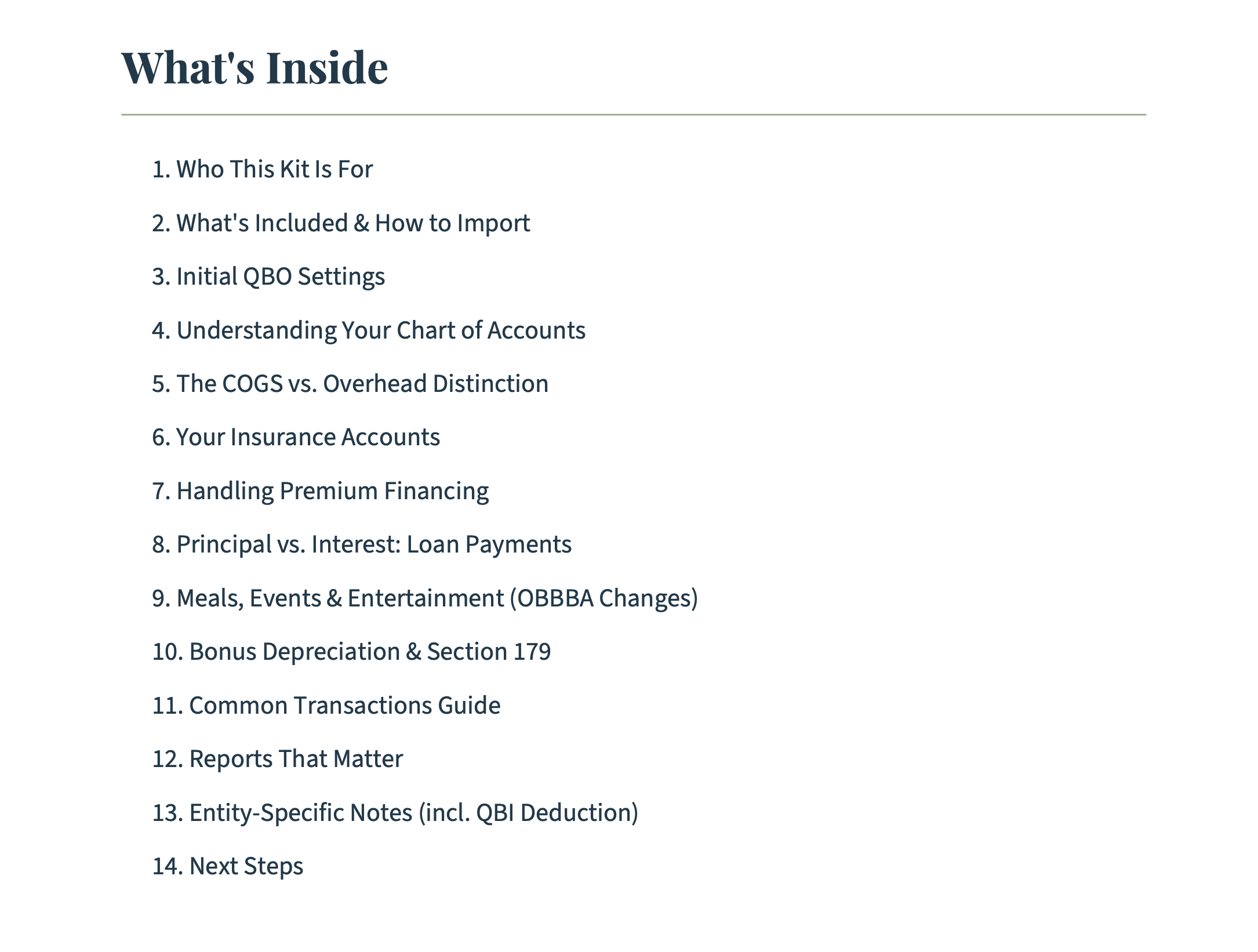
A branded, step-by-step guide covering how to import the CSV into QBO, how to customize accounts for your specific trade, how to handle the transition if you already have transactions in QBO, and key bookkeeping concepts for contractors. Includes guidance on tracking direct costs vs. overhead, handling retainage, recording equipment purchases under the current depreciation rules, and setting up classes or locations for job tracking.
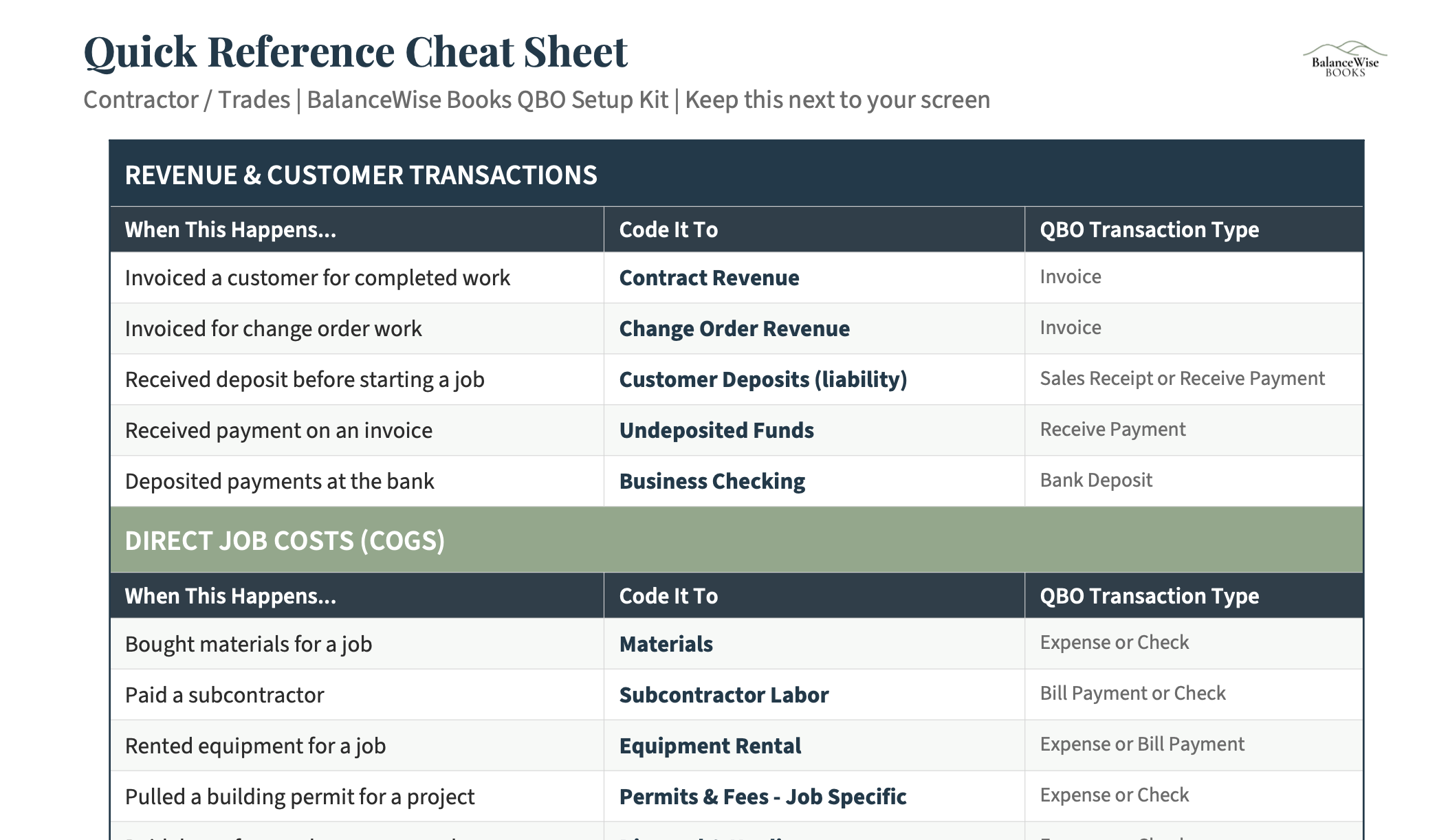
A printable two-to-three page reference you can keep next to your desk. Lists the most common transaction types contractors deal with (materials purchases, sub payments, fuel, insurance, permit fees) and which account to code them to. No flipping through a 20-page guide when you just need to know where to put a lumber receipt.
103-106 accounts tailored for contractor and trade businesses
This kit is built for contractors and tradespeople who use or are setting up QuickBooks Online.
Whether you are a sole proprietor running a crew of three or an S-Corp with fifteen employees, the kit includes a CSV for your entity structure.
Most free chart of accounts templates online use broad categories like "Cost of Goods Sold" and "Operating Expenses." That tells you nothing useful. This kit breaks your costs into the categories that actually matter for a contractor: direct materials, subcontractor costs, equipment costs, permits and fees, and direct labor, all separated from your overhead expenses like insurance, office costs, and vehicle expenses.
The One Big Beautiful Bill Act (signed July 4, 2025) made several changes that directly affect contractors. The restored 100% bonus depreciation means you can write off the full cost of equipment, trucks, and tools in the year you buy them. The expanded Section 179 limits (now $2.5 million, more than double the prior cap) give you even more room for equipment deductions. The permanent 20% QBI deduction means your pass-through income keeps this tax benefit going forward, with no expiration date. And the updated meals deductibility rules affect how you track meals on the job site vs. meals with clients. This chart of accounts is structured to capture all of these categories correctly so nothing falls through the cracks at tax time.
When your bookkeeper (or you) runs a Profit & Loss report, you will see gross profit separated from net profit. You will see your direct job costs broken out from your overhead. You will be able to answer the question: "Am I charging enough?" That is the whole point. Clean books are the starting point. Clarity for decision-making is the goal.
The Estimator Helper is a 4-tab Excel workbook that uses the same overhead categories as this chart of accounts. Calculate your true overhead rate, build job estimates with proper markup, and compare your estimates to actuals. Get both for $66 instead of $76.
Stop guessing where transactions go. Get a chart of accounts built for your trade.